ED VISTON

Blog

mobile surveillance and spyware awareness

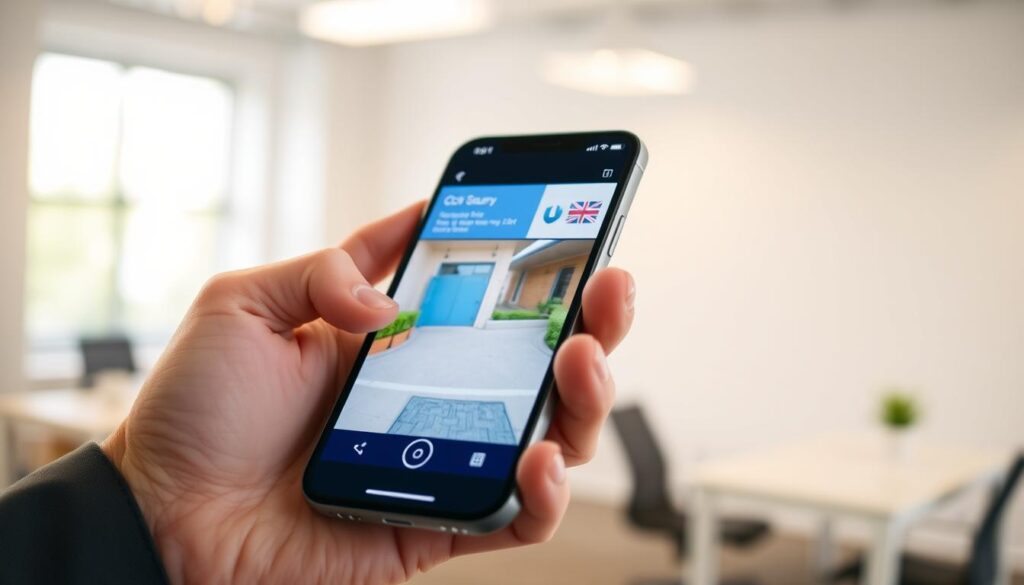
Who is watching me through my phone A step by step guide

Mobile surveillance is a pressing issue in today’s world. With the rise of smartphone usage, many individuals are concerned about their privacy and security. In Singapore, where smartphone penetration is exceptionally high, a staggering 74% of residents express worries about potential mobile security threats. Spyware has become a common tool for hackers, allowing them to remotely access devices without consent. This can lead to unauthorized access to sensitive data, making it crucial to understand the signs of such threats. Recognizing these signs is the first step in protecting your device. This guide will provide you with essential information on how to detect, remove, and prevent mobile surveillance threats. From identifying suspicious apps to employing effective protection measures, you will learn how to safeguard your device against unwanted intrusions. Key Takeaways Mobile surveillance poses a significant risk to smartphone users globally. Understanding warning signs is essential for protecting your device. Spyware often disguises itself as legitimate apps to gain access. Legal frameworks like Singapore’s PDPA help address unauthorized surveillance. Proactive security measures are vital for personal protection. Understanding the Threat: How Hackers Access Your Phone’s Camera and Microphone The risk of mobile surveillance has escalated in our technology-driven society. Hackers rely on spyware installation as a prerequisite for accessing your phone’s camera and microphone. Understanding how these threats operate is essential for effective prevention. There are several common methods through which hackers install spyware on devices. Malicious apps often disguise themselves as harmless utilities, such as video downloaders or cleaner tools. This tactic is particularly prevalent on Android phones, where users may unknowingly download trojans. Phishing attacks also play a significant role in this landscape. Often referred to as camfecting, these attacks use deceptive links in text messages or emails. They create a sense of urgency, tricking users into granting permissions that compromise their security. Unsecured public Wi-Fi networks pose another risk. Locations like cafes and airports are hotspots for Man-in-the-Middle attacks. Here, hackers intercept traffic and redirect devices to malicious websites, increasing the likelihood of infection. Physical access to a device remains one of the most direct threats. If someone has an unlocked phone, they can manually install stalkerware apps in mere minutes. These apps are designed to hide immediately after installation, making detection difficult. Zero-click exploits represent the most sophisticated method of attack. Spyware like Pegasus can compromise a device without any user interaction. Simply receiving a malicious message can lead to installation, highlighting the advanced tactics employed by hackers. In Singapore, the extensive public Wi-Fi infrastructure at places like Changi Airport increases vulnerability to network-based attacks. Recognizing these attack vectors helps users implement appropriate security measures. Understanding the distinction between different spyware installation methods is crucial. Each requires specific prevention strategies and detection techniques. With commercial spyware applications becoming more accessible, all smartphone users must be aware of how these threats operate in real-world scenarios. Recognizing Primary Signs Your Phone May Be Watched In an age where smartphones dominate our lives, being aware of potential surveillance is crucial. Recognizing the signs that your device may be compromised can help you take action before it’s too late. Here are some key indicators to watch for: Camera Indicator Lights Activating Randomly The camera indicator light serves as a critical hardware-level warning system. If this light activates unexpectedly, it could signify that an app is accessing your camera without your knowledge. On iOS devices, swiping down to Control Center reveals which app is using the camera. For Android users, tapping the green camera icon provides transparency into which app has access. Unfamiliar Apps and Suspicious Profiles on Your Device Discovering unfamiliar apps on your device is a major red flag. Look for generic names like Service, Monitor, or Device Health. On Android, check Settings > Security and Privacy > More security settings > Device admin apps. For iPhone users, examine Settings > General > VPN & Device Management for strange configuration profiles. Unexpected Photos and Videos in Your Gallery Finding photos or videos in your gallery that you did not create is clear evidence of remote camera control. Research shows that approximately 23% of compromised devices in Singapore contain unauthorized media files. Regular audits of your media and installed apps should become a routine security practice. Secondary Symptoms: Battery Drain, Data Spikes, and Overheating As technology advances, the signs of mobile surveillance become increasingly evident. One of the most alarming indicators of spyware infection is unexplained battery drain. Spyware apps often run continuously, hijacking your phone’s processor and network. This can lead to significant energy consumption, leaving you with a rapidly depleting battery. To check battery usage on your device, navigate to the Battery settings page. On both iOS and Android, this section lists apps by their power consumption. If you notice unfamiliar apps consuming disproportionate resources, it may be time to investigate further. How to Check Battery Usage on iOS and Android On Android, go to Settings > Battery > Battery usage. For iPhone users, access Settings > Battery. Here, you can see which apps are using the most power. Pay special attention to apps that seem suspicious or unfamiliar. Monitoring Data Consumption for Abnormal Activity Another red flag is unusual data usage. Spyware must transmit recorded information to hackers, causing spikes in your monthly data consumption. In Singapore, the average user consumes around 9.2GB of mobile data each month. If you notice sudden increases, this could indicate unauthorized background activity. To monitor data usage, Android users can check Settings > Connections > Data usage. iPhone users should navigate to Settings > Mobile Service > Mobile Data > Show All. Keep an eye out for any apps that are using excessive data without your knowledge. Device Overheating When Idle Device overheating is another concerning symptom. Spyware can force your phone’s processor to work continuously, generating excessive heat even when the device is idle. Normal operating temperatures range from 32-40°C. If your phone consistently exceeds 45°C, it may signal malicious background processes. Cross-referencing battery drain, data usage spikes, and overheating

Who is watching me through my phone A step by step guide Read More »
security camera connectivity issues

How to fix Why can’t I see my security cameras on my phone

Remote access to your security cameras is vital for effective surveillance. However, many users encounter frustrating connectivity issues that prevent them from viewing their camera feeds on their phones. In fact, over 67% of these problems stem from network errors. Understanding these issues is the first step in troubleshooting. Common causes of outages often relate to network configuration or power supply problems. Almost 80% of users face these challenges, making it essential to investigate these areas promptly. Simple solutions like rebooting your router or reinstalling the monitoring app can often restore access without needing technical expertise. For those in Singapore, local expert Wen Hong offers support for persistent issues. Additionally, advanced smartphones like the HONOR Magic V2 can enhance compatibility, ensuring a smoother experience. Most security cameras can be set up in under 10 minutes, but knowing how to address problems effectively is key to maintaining reliable surveillance. Key Takeaways Remote access is crucial for modern surveillance. Network errors are the leading cause of connectivity issues. Investigate power supply and network configuration first. Simple fixes can often resolve problems quickly. Local support is available for users in Singapore. Understanding core connectivity principles aids in troubleshooting. Understanding the Reasons Behind Camera Feed Inaccessibility on Your Phone Understanding the factors that hinder your camera feed can help improve your surveillance experience. Many users face challenges that stem from network and power issues. Recognizing these problems is essential for effective troubleshooting. Common Network and Power Issues Causing Connectivity Failures Network configuration errors represent the largest category of connectivity failures. These account for over 67% of all reported issues when users cannot view their camera feeds. Here are some common culprits: IP Address Conflicts: These occur in about 10% of cases, causing cameras to appear offline even when connected. Signal Weakness: Concrete walls and dense materials can weaken Wi-Fi signals by up to 40%, leading to dead zones. Power Supply Problems: Voltage fluctuations trigger 23% of camera offline errors, especially in Singapore’s residential areas. Low-Quality Adapters: These can overheat and unexpectedly cut power, interrupting your feed. Impact of Hardware and Device Compatibility Hardware compatibility issues can also disrupt your experience. Older camera models may struggle with newer smartphone operating systems. This can prevent successful app installation or lead to crashes during live streaming. Device connection clashes, such as DHCP lease expiration, can silently disrupt communication between your camera and mobile device. Understanding the distinction between network-related and power-related failures can help narrow down the troubleshooting process. Additionally, the physical placement of both the camera and the router within your home significantly impacts signal strength. Ensuring optimal placement can enhance overall system reliability for continuous surveillance monitoring on your phone. For further assistance with troubleshooting, consider visiting this guide. Why Can’t I See My Security Cameras on My Phone? Identifying the Root Causes Mobile monitoring can often be hindered by unnoticed issues within your network and power supply. Understanding these root causes is essential for restoring access to your security camera feeds. One significant area to investigate is network configuration. Conflicts, such as IP address clashes, can prevent your cameras from being reachable. This occurs in about 10% of cases, where devices on the same network interfere with each other. Ensuring that each device has a unique IP address is crucial for smooth operation. Network Configuration Conflicts and Wi-Fi Challenges Wi-Fi challenges are particularly relevant in Singapore’s dense urban environment. For instance, concrete walls can weaken signals by up to 40%. This degradation can lead to connectivity dropouts, making it essential to test signal strength at each camera location during setup. Moreover, dual-band routers can complicate matters. If your phone connects to the 5GHz band, while most security cameras only support the 2.4GHz network, successful communication may fail. Ensuring that your devices are on the same band is vital for reliable connectivity. Power Supply and Hardware Malfunctions Power supply issues also account for nearly a quarter of all camera offline incidents. Voltage drops in Singapore HDB flats are common, often requiring users to test outlets with a multimeter. This ensures that your cameras receive the correct voltage needed for operation. Low-quality power adapters can exacerbate the problem. They may overheat during use, causing intermittent disconnections that can be hard to trace. Always verify that your camera’s voltage requirements match the power supply to avoid these issues. Lastly, hardware malfunctions can prevent a stable connection. Faulty internal components or damaged Ethernet ports in Power over Ethernet (PoE) systems may disrupt communication. Regular inspections of cable connections can help maintain a reliable security system. How Security Cameras Connect to Mobile Devices: Key Principles The way security cameras link to mobile devices plays a vital role in ensuring seamless surveillance. Modern systems depend on effective communication between hardware and mobile apps. For successful setup, over 92% of installations require both devices to share the same network. Most security cameras connect to phones through QR codes or manual Wi-Fi entry. Interestingly, QR code pairing has a success rate of 78%, while manual setups only succeed 54% of the time. This makes QR scanning the preferred method for many users. Brands like Reolink and Google Nest enforce strict network matching during installation. This means that your phone and camera must operate on the same network band for the app to complete the pairing process. Understanding this is crucial for a smooth setup. Role of Manufacturer Apps and QR Code Pairing Manufacturer apps act as the bridge between your camera hardware and phone. They handle everything from the initial QR code scanning to ongoing firmware updates and motion detection alerts. This ensures that users have continuous access to their security systems. Importance of Matching Network Bands and IP Settings Matching network bands is essential for successful connectivity. Most budget security cameras only support 2.4GHz Wi-Fi, while many modern phones default to 5GHz networks. This mismatch can create immediate barriers to successful camera setup. Additionally, IP settings and network configurations must align between the camera and router. Mismatched IP ranges or

How to fix Why can’t I see my security cameras on my phone Read More »

CCTV working on phone

How do I know if my CCTV is working on my phone Easy Guide

In today’s fast-paced world, ensuring the security of your home is more important than ever. In Singapore, over 84% of households consider surveillance systems essential. Visible CCTV cameras can reduce crime rates by 27% in housing estates. However, a significant 40% of malfunctions stem from connectivity and network issues. This makes regular verification of your system critical. Your smartphone can transform into a powerful remote monitoring tool. It allows instant access to live feeds from anywhere with an internet connection. This easy guide will provide actionable steps for residents to confirm their security cameras are operational on mobile devices. By mastering the verification process, you can gain peace of mind, knowing your property is protected whether at work or traveling. With modern CCTV systems integrating seamlessly with smartphones, it’s easier than ever to monitor your security. Key Takeaways Regular verification of your CCTV system is essential for maintaining home security. Your smartphone serves as a remote surveillance dashboard, offering live camera feeds. Monthly system checks can increase reliability by 67%. Connectivity issues account for 40% of common CCTV malfunctions. Modern CCTV systems work well with mobile apps for real-time monitoring. Introduction to Mobile CCTV Monitoring in Singapore As urban living in Singapore becomes more dynamic, securing homes has emerged as a vital concern. The integration of mobile CCTV monitoring represents a significant shift in how residents protect their properties. With over 84% of households viewing surveillance systems as essential, the need for effective security is clear. Many Singaporeans now rely on mobile apps for real-time access to their security cameras. In fact, 65% of the mobile workforce uses these monitoring apps daily. This shift not only enhances security but also provides peace of mind for busy individuals. Visible CCTV cameras have been shown to reduce crime rates by 27% in housing estates. This aligns perfectly with Singapore’s Smart Nation initiative, which emphasizes technology’s role in everyday life. Mobile CCTV monitoring transforms smartphones into portable command centers for real-time surveillance. High-density living in Singapore presents unique security challenges, necessitating vigilant oversight. Remote access to CCTV systems is now a necessity for busy residents checking on their properties. Modern IP-based security cameras stream high-definition video directly to mobile devices, improving reliability. Mobile monitoring fits seamlessly into the connected lifestyle of Singapore’s tech-savvy population. Checking live feeds from anywhere allows for verification of deliveries, monitoring family, or checking on pets. AI-powered security systems can distinguish between people, vehicles, and animals, enhancing alert accuracy. Reputable CCTV providers ensure compliance with the Personal Data Protection Act, safeguarding privacy. In conclusion, mobile CCTV monitoring is not just a trend; it is a crucial element of modern security systems in Singapore. By embracing this technology, residents can ensure their homes are safe and secure. Benefits of Knowing If Your CCTV Is Working on Your Phone Awareness of your CCTV’s performance plays a vital role in maintaining peace of mind at home. Knowing that your security cameras are functioning correctly ensures that your property is protected at all times. This knowledge eliminates the nagging doubt about whether your home is truly secure. Real-time mobile monitoring allows for immediate responses to motion detection alerts. This capability enables users to verify suspicious activity and contact authorities within critical moments. The quicker you act, the more effective your response can be. Moreover, a verified working system serves as a strong deterrent against crime. In fact, visible security cameras combined with active monitoring have been shown to reduce crime rates by 27 percent in Singapore housing estates. Regular verification of your CCTV through your mobile app helps identify connectivity issues early. This proactive approach prevents small problems from escalating into major security gaps that could leave your home vulnerable. The ability to check your live feed remotely saves time and reduces stress. There’s no need to rush home to confirm if an alert was a false alarm. You can assess the situation from wherever you are. Night vision verification through your phone ensures that your cameras capture clear footage, even in low-light conditions around your property. This feature is essential for comprehensive surveillance. Additionally, two-way audio features accessible through your mobile app allow you to communicate with visitors or deter intruders directly from your smartphone. This adds an extra layer of security to your home. Consistent system checks contribute to a 67 percent increase in overall reliability. This ensures that your security investment delivers continuous protection, allowing you to enjoy peace of mind. Essential Hardware and Software for Mobile CCTV Monitoring The effectiveness of mobile CCTV monitoring relies heavily on the right combination of hardware and software. Understanding these components is crucial for achieving reliable surveillance and ensuring seamless access to your security feeds. Compatible CCTV Cameras and Smartphones To start, select IP cameras that offer high resolution, such as 2K or 4K, and reliable infrared night vision. These features ensure clear footage day and night, enhancing your overall security. Your Network Video Recorder (NVR) must have a powerful 64-bit processor. This capability is essential for handling multiple high-definition video streams without lag, especially when accessing feeds on your phone. Smartphone compatibility is also vital. Ensure your device runs at least iOS 12 for Apple or Android 8.0 for other phones. A quad-core processor and at least 3GB of RAM are recommended for optimal app performance. Ensuring a Stable Internet Connection and Network Devices For effective mobile monitoring, consider using Power over Ethernet switches. These simplify installation by delivering both data and power through a single cable, creating a stable foundation for your entire security system. Additionally, ensure your cameras and recorders are ONVIF compliant. This compliance allows devices from different brands to communicate seamlessly, providing flexibility for future system expansion. A modern dual-band router plays a critical role in maintaining stable connectivity. Place it within 10 meters of your primary security devices for optimal performance. Understanding bandwidth requirements is essential for smooth mobile viewing. Each HD camera stream needs at least 2 Mbps of upload speed, while multi-camera setups require

How do I know if my CCTV is working on my phone Easy Guide Read More »

CCTV camera phone connection guide

How can I detect my CCTV camera with my phone step by step

In today’s world, keeping an eye on your property is essential. This comprehensive guide walks you through the process of connecting your CCTV system to your smartphone. With the right steps, monitoring your security setup becomes effortless. You will learn fundamental methods for establishing a connection between your security camera and mobile device. This includes both WiFi and mobile data approaches, tailored to suit different setups and environments. Essential prerequisites, such as checking device compatibility and downloading the correct mobile app, are crucial for seamless remote viewing. Step-by-step instructions will help even non-technical users pair their CCTV system with a phone, eliminating the frustration of trial-and-error setups. Real-world troubleshooting advice addresses common connectivity problems users face when accessing live feeds. Additionally, security best practices are integrated to protect your footage from unauthorized access. By the end of this article, you will have a clear understanding of how to maintain a stable and secure connection for ongoing peace of mind. Key Takeaways Learn to connect your CCTV system to your smartphone easily. Understand both WiFi and mobile data methods for monitoring. Check device compatibility and download the right app. Follow step-by-step instructions for successful pairing. Receive troubleshooting tips for common connectivity issues. Implement security best practices to protect your footage. Introduction to Detecting CCTV Cameras with Your Phone In the digital age, keeping tabs on your property is just a tap away. Mobile CCTV monitoring has transformed how users secure their homes and businesses. With just a few taps on their phones, they can easily access live feeds from their security cameras. Most modern security cameras offer remote viewing capabilities. Companies have developed dedicated apps that simplify the setup process, making it accessible even for those who aren’t tech-savvy. Devices like the HONOR Magic V2 enhance this experience with high-resolution displays. The ability to connect CCTV cameras to smartphones has revolutionized property security. Users can now enjoy real-time surveillance from virtually any location. This ease of access is crucial for both homeowners and business operators. Understanding how a security camera connects to a phone is vital for effective monitoring. This connection can rely on various systems, including home WiFi networks, wired DVR or NVR systems, or cellular data through a SIM card. The growing demand for mobile CCTV access in Singapore reflects a global trend toward smart home integration. Users expect instant access to their security camera feeds directly from their smartphones. This section lays the groundwork for the detailed guidance that follows. Readers will learn about different types of CCTV systems available and how each interacts with mobile devices. This knowledge will help them choose the best approach for their surveillance needs. It’s also essential to select compatible hardware and software. Not all cameras work seamlessly with every smartphone operating system or app ecosystem. By understanding the mobile CCTV monitoring landscape, users will be better prepared for the practical steps and troubleshooting techniques discussed later in this guide. Benefits of Detecting and Connecting CCTV Cameras to Your Phone The integration of mobile technology into security systems has revolutionized property surveillance. Connecting CCTV cameras to smartphones offers numerous advantages that enhance security and user experience. One of the most significant benefits is real-time monitoring. Users can view live footage from their CCTV cameras directly on their smartphones. This capability enables immediate awareness of any unusual activities or security breaches as they occur. Moreover, remote accessibility means that whether you are at work, on vacation, or simply away from home, you can check in on your property using just your mobile device and an internet connection. Additionally, push notification alerts for motion detection and other predefined triggers ensure that users receive instant updates on their phones. This allows for a prompt response to potential security threats without the need to constantly monitor the feed. User-friendly mobile applications provided by camera manufacturers simplify the entire setup and monitoring process. These apps feature intuitive interfaces that make controlling and viewing CCTV footage accessible to a broad range of users. High-resolution smartphone displays, particularly on advanced models like the HONOR Magic V2, ensure that CCTV footage is viewed in crisp detail. This clarity captures crucial information such as facial features or license plate numbers that might be essential for identification purposes. Integration with cloud services offers the added benefit of remote storage and retrieval of surveillance footage. This enhances data accessibility while providing a secure backup in case local recording devices are compromised or damaged. The convenience of mobile connectivity transforms a traditional CCTV system into a dynamic security tool that fits seamlessly into modern lifestyles. Homeowners and business operators gain greater confidence in their ability to protect what matters most. These combined benefits make investing in a mobile-compatible security camera system a practical choice for anyone seeking to enhance their overall surveillance experience. For more detailed steps on connecting your CCTV system, visit this guide. How Can I Detect My CCTV Camera with My Phone? Modern advancements in technology make property surveillance straightforward. Users can easily connect their security systems to their smartphones. This section covers various methods to detect CCTV cameras, ensuring effective monitoring. Detecting Cameras via WiFi Networks Detecting your CCTV camera via WiFi networks is the most common method. Ensure that both the camera and your smartphone are connected to the same stable wireless network. This connection is essential before starting the detection process using the manufacturer’s dedicated app. Typically, you will power on the camera and launch the mobile app. Follow the on-screen instructions, which often include scanning a QR code displayed on your phone screen. This establishes a secure connection between the camera and your device. Detecting Cameras Using Mobile Data and SIM Cards For users in areas with unreliable WiFi, detecting cameras using mobile data and SIM cards provides an alternative solution. Some cameras allow direct connectivity to mobile networks by activating this feature in settings. To use this method, insert an active data SIM card into the camera. Then, configure the camera’s mobile data and APN

How can I detect my CCTV camera with my phone step by step Read More »

CCTV camera status check

How do I know if my CCTV is on or off Step-by-Step Guide

Understanding the operational status of your CCTV camera is essential for ensuring the safety of your property. In Singapore, where security is a top priority, knowing whether your camera is actively recording can be the first line of defense against potential threats. A camera that appears intact may not be recording due to power failures or technical issues. Regular checks can help identify downtime early, preventing dangerous blind spots. For businesses, maintaining a functional CCTV system is crucial for meeting security compliance and insurance requirements. If your camera is off, you risk leaving your home or business vulnerable to intruders. This guide will explore various ways to confirm your CCTV status. You will learn simple techniques that require no specialized tools, making it easy for anyone to verify their camera’s functionality quickly and reliably. Key Takeaways Knowing your CCTV camera’s status is vital for property security. A physical inspection doesn’t guarantee the camera is recording. Common issues like power outages can disable your CCTV without notice. Blind spots from inactive cameras can lead to security vulnerabilities. Regular status checks are essential for effective security maintenance. Why It’s Important to Know if Your CCTV Camera Is On or Off Monitoring the functionality of your CCTV cameras is crucial for maintaining security. Many people overlook their CCTV systems, assuming everything is fine. However, cameras can shut down unexpectedly due to power failures, loose wiring, or even vandalism. A camera that is off will not capture intruders, theft, or accidents. This defeats the purpose of your security investment. Regular status checks help you catch downtime early and avoid blind spots. This ensures your system is ready when you need it most. For businesses, understanding the status of your CCTV system is key to meeting security compliance and insurance requirements. Here are some important points to consider: A non-functioning CCTV camera provides a false sense of security. This leaves your Singapore property exposed to risks that could have been prevented with a simple status check. Unexpected shutdowns can occur at any time. Power surges, tripped circuit breakers, or drained batteries in wireless models make routine verification essential. Loose wiring or corroded connections are common in Singapore’s humid climate, potentially causing intermittent power loss that goes unnoticed until you need the footage. Firmware glitches or outdated software can cause cameras to freeze or stop recording while still appearing powered on, creating a deceptive illusion of functionality. For business owners, an offline camera can mean non-compliance with insurance policies or security regulations, potentially leading to financial and legal consequences. Regular checks help identify issues early. This reduces the risk of extended downtime and ensures continuous surveillance coverage for your entire property. A camera that is on but not recording is equally useless. It emphasizes the need to verify both power status and active recording capabilities. Commit to incorporating CCTV status checks into your weekly or monthly routine to maintain peace of mind and protect your loved ones and assets. Understanding Different Types of CCTV Cameras and Their Status Indicators Recognizing the various types of CCTV cameras and their indicators is vital for effective security. Each type of camera comes with its own features and methods for checking its operational status. Understanding these differences can help you maintain your security system effectively. Wired vs. Wireless Cameras First, identify whether your CCTV system uses wired or wireless cameras. Wired models rely on physical cables, which can be inspected for damage. In contrast, wireless cameras depend on Wi-Fi signal strength and battery levels, making them easier to set up and relocate. Analog vs. IP (Digital) Cameras Next, consider the type of camera technology. Analog cameras are older and typically lack remote viewing capabilities. They often require a direct connection to a DVR for status verification. On the other hand, IP cameras are digital and allow for app-based monitoring from your smartphone, offering better video quality. Fixed, Pan-Tilt-Zoom (PTZ), and Night Vision Cameras Different camera types also include fixed and PTZ models. Fixed cameras remain stationary and need close physical inspection to check their indicator lights. PTZ cameras can move to follow motion and often perform a startup sequence with visible movement when powered on. Additionally, night vision cameras equipped with infrared LEDs emit a faint red glow around the lens in low-light conditions. This provides a quick visual cue that the camera is active and functioning. Understanding these indicators can prevent misdiagnosing a functioning camera as being off. Finally, outdoor cameras must withstand Singapore’s high humidity and heavy rainfall. Therefore, weatherproof seals and robust power connections are critical for consistent operation. For an eco-friendly solution, consider solar-powered cameras that charge from sunlight. However, they require adequate sunlight exposure to maintain charge, as a depleted battery is a common reason these cameras appear off. Familiarize yourself with your specific camera model’s manual to accurately interpret its unique LED light behaviors. This knowledge will enhance your ability to monitor your security system effectively. How do I know if my CCTV is on or off? Visual Signs to Look For To ensure the safety of your property, it’s crucial to identify the status of your CCTV cameras. Most modern security cameras provide visual indicators that can help you quickly assess their operational state. Understanding these signs will empower you to maintain effective surveillance. Interpreting LED Status Lights and Colors LED status lights are among the fastest and most straightforward indicators of your CCTV camera’s functionality. Here’s what to look for: Solid Green or Blue Light: This usually means your camera is powered on and functioning normally. Some brands use blue specifically to indicate active recording, while green may signify standby power. Blinking LED: A blinking light often signals that the camera is attempting to connect to a network, undergoing a firmware update, or experiencing connectivity issues. It does not necessarily mean the camera is off. No Visible Light: Many modern security cameras allow users to disable LED lights for covert surveillance. Thus, the absence of visible lights does not automatically confirm

How do I know if my CCTV is on or off Step-by-Step Guide Read More »

CCTV cameras and power requirements for recording

Can CCTV Cameras Record When They Are Switched Off How-To Guide

In today’s world, security is more important than ever. Many people rely on surveillance systems to keep their homes and businesses safe. However, a common question arises: can these systems continue to function without power? The truth is that most standard setups require a constant electrical supply to operate effectively. When the power goes out, typical monitoring devices stop working almost immediately. Advanced models may have battery backups, but many systems cease all activity. In Singapore, where safety is a priority, understanding these limitations is crucial. A recent study revealed that 72% of basic systems only function for a mere 47 seconds after an outage. As we explore this topic, we will uncover the reality behind power loss and its impact on surveillance systems. This guide will help you understand the power requirements and backup solutions necessary for reliable operation. Key Takeaways Most surveillance systems need continuous electrical power to operate. Common myths about recording without power persist among users. Standard systems typically shut down within seconds after power loss. Capacitors provide only a brief emergency power supply for safe shutdowns. Compliance with local regulations is essential for effective monitoring. Understanding the Importance of CCTV Cameras in Modern Security In the realm of modern safety, the significance of surveillance systems cannot be overstated. These devices are essential for enhancing security in both residential and commercial settings. They provide real-time monitoring and valuable recorded evidence, which can be crucial in emergencies. The functionality of security cameras is diverse. From basic observation to advanced analytics, these systems can automatically identify suspicious behavior patterns. This versatility allows them to cater to various security needs, making them indispensable in today’s world. Overview of CCTV Functionality There are several types of surveillance devices available today. Dome cameras are discreet and suitable for indoor use, while bullet cameras excel in outdoor visibility. Each type serves a unique purpose, ensuring comprehensive coverage for different areas. Additionally, dark fighter cameras operate effectively in low-light conditions. They utilize specialized sensors to deliver clear images without needing extra illumination. This feature is particularly valuable in poorly lit environments. Role of CCTV in Singapore’s Security Landscape In Singapore, the security landscape is unique. The humid tropical climate necessitates weather-resistant designs for all surveillance equipment. This ensures that systems remain operational despite challenging weather conditions. Furthermore, the use of ANPR and LPR cameras enhances perimeter security at gated communities and commercial facilities. These cameras can read and store vehicle plate information, adding another layer of protection. PTZ cameras further elevate security systems by providing remote pan, tilt, and zoom capabilities. This allows for tracking movement across large areas, making them ideal for comprehensive surveillance solutions. With the Building and Construction Authority (BCA) licensing professional installers, complex CCTV projects are executed with expertise. This regulation ensures that systems are installed correctly, maximizing their effectiveness. Modern technology also allows for integration with mobile apps and cloud platforms. This enables remote monitoring and instant alerts, providing peace of mind for users. Ultimately, choosing the right surveillance system based on lens quality, sensor type, and resolution is vital. These factors contribute significantly to the optimal protection of your property. Basic Technology Behind CCTV Cameras The technology behind surveillance systems is crucial for understanding their functionality. At the heart of these devices are image sensors, which convert light into electronic signals. This process is essential for capturing clear and detailed footage. Types of Image Sensors: CCD vs. CMOS Two primary types of image sensors are commonly used in surveillance systems: CCD and CMOS. CCD sensors are known for their superior image quality, especially in low-light conditions. They excel in producing high-quality images, making them ideal for night surveillance. On the other hand, CMOS sensors are designed for energy efficiency. While they may not match the image quality of CCDs in dim lighting, they come with advanced features that can enhance overall functionality. Understanding these differences helps in selecting the right sensor for specific security needs. Common CCTV Camera Types and Their Features There are various types of surveillance devices, each with unique features. Analog HD models typically support resolutions of 720p or 1080p, providing decent quality for many applications. In contrast, IP systems can achieve up to 5MP, delivering significantly sharper images. Frame rates also play a critical role in surveillance. A rate of 25 FPS ensures smooth video playback, capturing essential details without motion blur. Additionally, infrared technology allows cameras to capture clear footage in complete darkness, illuminating areas with invisible light patterns. Dome and bullet styles serve different purposes. Dome cameras are ideal for indoor settings where discretion is key, while bullet cameras are perfect for outdoor areas that require visible deterrence. Furthermore, PTZ (pan-tilt-zoom) options provide remote control capabilities, allowing users to track movement across large areas. In Singapore’s humid climate, weather-resistant designs are essential for maintaining performance. Solar-powered models, such as the Reolink Argus 3 Pro, offer eco-friendly operation, ensuring reliable surveillance even in off-grid locations. Modern systems are also integrating 4G and 5G connectivity, enabling remote access and real-time monitoring from anywhere. Ultimately, choosing the right sensor type and camera features directly impacts the effectiveness of your entire surveillance system. For more information on how to optimize your security setup, visit this guide. Can CCTV Cameras Record When They Are Switched Off? Debunking the Myth The functionality of surveillance systems is often misunderstood, especially regarding their power needs. Many believe that these devices can operate independently of electricity. However, the reality is quite different. First and foremost, surveillance devices require a constant power supply to function. When power is cut, standard models shut down within 0.5 to 3 seconds. This means they cannot capture new footage during that time. The misconception that they can record without power is simply untrue. Moreover, temporary capacitors inside these systems can provide a brief window of emergency power. This power lasts only 2 to 5 seconds, primarily for safe shutdown procedures. This feature prevents file corruption, but it does not allow for any new recording.

Can CCTV Cameras Record When They Are Switched Off How-To Guide Read More »

CCTV night vision capabilities

Can CCTV Work in Dark How-To Guide Tips for Singapore

In today’s world, security is a top priority for both homeowners and businesses. The core question many ask is, can CCTV see in low light? The answer is a resounding yes. Modern surveillance cameras are equipped with advanced technologies that allow them to capture clear footage even when the sun goes down. In Singapore’s bustling urban landscape, ensuring safety around the clock is crucial. Nighttime surveillance becomes essential, especially since businesses are at a higher risk of burglary—four times more than homes. Thanks to innovations like infrared illumination and thermal imaging, cameras can now effectively monitor areas up to 200 feet in complete darkness. This guide will explore the various night vision technologies available, helping you select the right cameras and installation practices tailored to Singapore’s unique environment. With the right setup, these systems provide reliable monitoring, ensuring you never miss a crucial moment, even in pitch-black conditions. Key Takeaways Modern cameras can capture clear images in low-light conditions. Singapore’s security needs make nighttime surveillance critical. Infrared and thermal technologies enhance visibility after sunset. Top-tier cameras can monitor distances of up to 200 feet in total darkness. Understanding night vision capabilities is essential for property protection. Understanding How CCTV Works in Dark Environments Today’s security systems are designed to excel in darkness, ensuring safety and monitoring around the clock. Most modern cameras are equipped with night vision capabilities. These features allow them to capture clear images even in poorly lit conditions. When light levels drop, LEDs activate and emit infrared light. This light is invisible to human eyes but is effectively detected by camera sensors. The ability to see this infrared spectrum is what enables security cameras to function in low-light situations. Ambient light enters through the camera lens and strikes the image sensor. This sensor converts light into electrical signals, even in minimal lighting conditions. An essential component is the IR cut filter. During the day, it blocks infrared light for accurate color rendering. At night, it automatically shifts away, allowing for night vision mode. Most standard night vision cameras capture images in black and white. Monochrome footage requires less light, maintaining picture quality and clarity. The camera’s processor chip executes algorithms to amplify weak signals, converting raw sensor data into viewable night vision images. The effective range of a camera’s night vision depends on the strength of its IR LEDs. Some models can reach up to 200 feet, while others may struggle beyond a few feet. Environmental conditions, such as fog or rain, can impact the clarity of night vision. Regular maintenance is essential to ensure optimal performance. In Singapore, the tropical humidity and frequent rainfall present unique challenges for cameras operating in dark environments. Therefore, weather-resistant housing is crucial. Modern systems integrate both hardware components and software processing, delivering usable surveillance footage even when light levels drop below 0.1 lux. Understanding these core mechanisms is vital for making informed decisions when selecting and positioning cameras for nighttime security. By grasping how night vision technology works, users can enhance their security measures effectively. Key Night Vision Technologies Powering Modern CCTV In an era where safety is paramount, innovative technologies are redefining surveillance capabilities. Understanding these advancements is essential for effective security solutions. Below, we explore the key night vision technologies that enhance modern security systems. Infrared Illumination and EXIR Technology Infrared illumination is the most common night vision technology used in security cameras. It utilizes IR LEDs that emit invisible light, typically at wavelengths between 850nm and 940nm. These wavelengths are easily detected by camera sensors. LEDs operating at 850nm provide brighter illumination, extending the effective range. Conversely, 940nm LEDs are stealthier, emitting no visible red glow, making them ideal for covert surveillance. EXIR technology represents an advanced form of infrared illumination. It offers a 40% wider coverage area with edge-to-edge clarity. This technology reduces overexposed hotspots that traditional IR illumination often suffers from. Additionally, EXIR technology enhances LED lifespan through improved heat management, making it suitable for Singapore’s humid climate. Thermal Imaging for Total Darkness Thermal imaging is a game-changer in security surveillance. This technology detects heat signatures with remarkable precision, allowing cameras to see in total darkness without any additional light source. It can differentiate temperature variations as slight as 0.01°C. Thermal cameras are invaluable for identifying intruders through smoke, foliage, and heavy rain. They typically have an effective range exceeding 100 meters, making them ideal for large perimeters like Changi Airport or industrial facilities. In Singapore, these cameras are often integrated with AI analytics to automatically flag anomalies. Color Night Vision Advancements Recent advancements in color night vision technology have significantly improved surveillance capabilities. High-end models now feature starlight sensors that capture full-color footage at illumination levels as low as 0.0001 lux—brighter than moonlight conditions. Some multispectral models combine infrared and visible light to produce color images in near-darkness. This allows users to identify clothing colors and vehicle details, which are critical for investigations. By comparing these three technologies—infrared illumination, thermal imaging, and color night vision—users can determine which night vision approach best suits their specific security needs. Components That Enhance CCTV Night Performance Effective surveillance relies on the intricate components that boost night vision performance. Understanding these elements is crucial for anyone looking to enhance their security systems. Sensors and Lenses The image sensor is the heart of night vision performance. For instance, Sony’s STARVIS sensors achieve an impressive sensitivity of 2000mV per µm². This allows for exceptional low-light image capture. Backside-illuminated (BSI) sensor designs significantly improve performance in near-darkness. By placing wiring behind the photodiode layer, more light reaches each pixel. This results in cleaner images even in challenging conditions. Larger sensor sizes, such as 1/2-inch or 1/3-inch formats, capture more light. Consequently, they produce images with less noise in low-light situations compared to smaller sensors. High-quality lenses also play a vital role. All-glass lenses with wider apertures gather more ambient light, leading to brighter and sharper nighttime footage. Infrared LEDs and Illumination Infrared LEDs serve as the primary illumination source for

Can CCTV Work in Dark How-To Guide Tips for Singapore Read More »

CCTV surveillance on Android devices

Which app is best for watching CCTV on Android in 2024

In today’s fast-paced world, mobile surveillance has become a crucial element in ensuring safety and security. In Singapore, the ability to access live feeds from CCTV cameras via Android devices has transformed how individuals and businesses monitor their properties. This evolution in technology has made it essential for users to choose the right tools for effective surveillance. This article serves as a comprehensive guide to selecting the most suitable CCTV solutions tailored to the unique needs of Singaporean users. With options like DMSS, iDVR-PRO Viewer, and AlfredCamera, users can enjoy seamless integration and real-time monitoring. Moreover, recent police data highlights a significant 14% drop in crime rates since the installation of surveillance systems. This underscores the importance of reliable mobile applications in enhancing security. By the end of this guide, readers will have a clear understanding of how to choose the right tool for their monitoring needs. Key Takeaways This guide focuses on selecting the right CCTV solutions for Android in Singapore. Mobile surveillance technology has changed how users monitor properties. We evaluate top-performing apps based on live streaming quality and features. Essential features like real-time alerts enhance security. Data privacy considerations are crucial under Singapore’s regulations. Understanding CCTV Android Apps and User Intent The rise of mobile technology has transformed the way users engage with their security systems. CCTV apps for Android serve as a central interface between users and their surveillance infrastructure. These applications turn smartphones into powerful monitoring hubs, offering peace of mind whether at home or traveling overseas. Purpose and Benefits of Using CCTV Apps on Android Devices The primary purpose of these applications is to deliver real-time video feeds from security cameras directly to mobile devices. This eliminates the need for dedicated monitoring stations and enables on-the-go property oversight. User Needs: Real-time Monitoring, Alerts, and Playback Users increasingly demand instant push notifications that alert them to motion detection events. This feature allows for immediate responses to potential security breaches at their home or business premises. Moreover, video playback functionality has become essential. Users expect intuitive timeline navigation and the ability to quickly locate specific incidents within hours of recorded footage. How the 2024 Landscape Shapes User Expectations The 2024 landscape reflects heightened expectations around artificial intelligence integration. Users are looking for apps that can distinguish between humans, vehicles, and animals to reduce false alarms. Singapore’s high smartphone penetration rate and robust cellular infrastructure mean that users expect seamless streaming quality, even when accessing their CCTV system over mobile data connections. Additionally, the shift toward hybrid work arrangements has increased demand for apps that support multi-user access. This enables family members or security teams to share monitoring responsibilities effectively. Modern user intent revolves around achieving a balance between comprehensive security features and straightforward interfaces that do not require technical expertise to operate. The Importance of Mobile Surveillance in Singapore’s Urban Environment In the heart of Singapore’s bustling urban landscape, mobile surveillance has become an essential part of everyday life. The integration of security cameras in public spaces acts as a digital shield, enhancing safety across transportation hubs, shopping districts, and residential areas. With police data indicating a remarkable 14% drop in crime rates since the installation of surveillance systems, it’s clear that these technologies are effective. This visible monitoring creates what experts call the halo effect, which reduces criminal activities even in areas not directly covered by cameras. Mobile surveillance has become a vital component of both residential and commercial protection strategies. Whether managing a shophouse in Chinatown or overseeing a condominium in Orchard Road, property owners can maintain constant vigilance over their assets through Android-based monitoring. Singapore’s Smart Nation initiative has significantly accelerated the deployment of connected surveillance systems. Government infrastructure supports the widespread adoption of IP cameras and cloud-based monitoring solutions, making security more accessible. The psychological deterrent effect of visible security cameras is profound. Research shows that this presence can reduce opportunistic crimes, enhancing the overall safety of communities. Homeowners in HDB estates and private residences increasingly rely on mobile apps to monitor deliveries, check on family members, and verify property security while at work or traveling. This shift highlights the importance of effective mobile surveillance solutions. For business operators, the ability to oversee multiple locations through a single app interface minimizes the need for on-site security personnel during off-hours. This flexibility allows for better resource management and enhanced security. However, with the increasing reliance on surveillance technology, the Personal Data Protection Act (PDPA) imposes specific requirements on how surveillance footage is collected, stored, and accessed. Users must select apps that offer robust privacy controls and data encryption to comply with these regulations. Compliance with PDPA ensures that surveillance practices respect individual privacy rights while maintaining effective security coverage. The best CCTV apps actively support this balance through features like geofencing and access logging. Key Features to Evaluate in CCTV Apps for Android Understanding the critical features of CCTV applications can lead to better security outcomes. Selecting the right functionalities ensures users can monitor their properties effectively. Here are the key features to consider: Real-Time Live Streaming and Motion Detection Real-time live streaming forms the backbone of any effective CCTV app. The best solutions deliver high-definition video feeds with latency under two seconds. This quick response time is crucial during emergencies. Motion detection technology has evolved significantly. Modern apps offer customizable detection zones. This allows users to focus on critical areas while ignoring routine movement from passing vehicles or swaying trees. Video Playback and Multi-Device Support The quality of video playback functionality directly impacts the usefulness of recorded footage. Users should look for intuitive timeline scrubbing, event markers, and the ability to export clips for sharing with authorities. Multi-device support is essential. The same app should work across smartphones, tablets, and even Android-based smart displays. This flexibility enhances how users monitor their security cameras. User Interface, Notifications, and Privacy Controls The user interface must balance comprehensive controls with accessibility. It should be easy for users of all ages and technical backgrounds to

Which app is best for watching CCTV on Android in 2024 Read More »

Using old smartphone as security camera

Can I use my old smartphone as a security camera Step-by-Step Guide

Transforming an unused device into a home monitoring tool is both practical and eco-friendly. Instead of letting a spare phone gather dust, it can become a budget-friendly solution for home security. With free apps like Alfred, this device can be turned into a fully functional camera, eliminating the need for expensive equipment. This approach not only saves money but also reduces electronic waste. Homeowners in Singapore can easily keep an eye on deliveries or check in on pets with minimal effort. The setup involves installing an app, positioning the device, and connecting it to Wi-Fi. With 151 million phones discarded annually in the U.S. alone, repurposing old devices contributes to cutting down global e-waste, which reached 53 million metric tons in 2023. This guide will provide a step-by-step tutorial on how to effectively utilize a retired phone for enhanced home security. Key Takeaways Repurposing an old phone for monitoring can save homeowners money on security equipment. The setup process is quick and requires only a few simple steps. This method helps reduce electronic waste, extending the life of functional technology. Free apps like Alfred offer features such as live streaming and motion alerts. It’s an ideal solution for compact living spaces common in Singapore. Understanding the User Intent Behind Using Old Smartphones as Security Cameras Using a retired device as a home monitoring solution is an innovative approach to enhancing security. Many homeowners in Singapore are increasingly interested in this cost-effective method. The rising concern about theft and the need for affordable home monitoring drive this trend. Each home has unique security needs based on its location, size, and lifestyle. Some require basic monitoring, while others need full surveillance. With burglaries becoming more common, it’s essential to take preventive measures without breaking the bank. Why homeowners in Singapore consider repurposing old smartphones Many Singapore homeowners are turning to DIY phone security solutions. They realize that a retired smartphone can serve as an effective first line of defense against intrusions. Cost savings are significant. Users can save between $200 and $500 compared to professional security cameras while enjoying features like live streaming and motion alerts. Environmental consciousness plays a major role. Reusing an old phone prevents 174 to 221 grams of metallic waste from entering landfills, contributing to reducing global e-waste. Specific monitoring needs often don’t justify a full security system investment. A smartphone security camera offers a flexible solution for watching over newborns, pets, or package deliveries. Common questions and expectations about smartphone security cameras Users frequently ask if the old phone needs to stay plugged in all the time, how much data streaming uses, and if night vision is possible. Expectations should be realistic. While a repurposed smartphone can provide clear 1080p footage during the day, it lacks advanced features like true infrared night vision and weatherproof housing. Singapore’s urban environment presents unique challenges, such as managing Wi-Fi congestion and protecting devices from humidity. Many users wonder about the longevity of these setups. Concerns about overheating and battery life are common, especially with older operating systems. Understanding these motivations and expectations helps homeowners make informed decisions about whether a DIY smartphone camera setup aligns with their specific home security requirements. Why Repurpose Your Old Smartphone as a Security Camera? Repurposing a device that no longer serves its original purpose can significantly enhance your home security. Homeowners in Singapore are increasingly discovering the benefits of transforming their unused phones into effective monitoring tools. This innovative approach offers several advantages, making it a practical choice for many. Cost-effective and budget-friendly home security solution One of the most compelling reasons to consider this option is the financial advantage. Professional security camera systems often start at $300 and can soar to over $1,000 for multiple cameras. In contrast, a DIY approach using a retired phone and a free app like Alfred Camera can deliver comparable basic monitoring at virtually no cost. Singapore homeowners can save between $200 and $500 by repurposing their old devices. This saved money can be redirected toward other smart home upgrades, such as smart locks or motion sensors, enhancing overall home security. Environmental benefits: reducing e-waste and sustainability The environmental impact of using old phones as security cameras is substantial. Each repurposed device prevents approximately 174 to 221 grams of metallic waste from entering landfills. Given that 151 million phones are discarded annually in the U.S. alone, the potential for e-waste reduction through reuse is staggering. Extending the lifespan of a smartphone by an additional two to three years aligns with Singapore’s growing emphasis on sustainability. Homeowners can participate in the circular economy while enhancing their property’s safety. Flexibility and convenience for temporary or secondary monitoring The flexibility of a smartphone security camera makes it an ideal solution for various temporary monitoring needs. Whether keeping an eye on a newborn during nap times or watching over a pet recovering from surgery, repurposing an old phone offers convenience without the need for permanent installations. Moreover, these devices can cover blind spots that primary cameras miss, such as the attic or basement. The ease of setting up a fully functional monitoring device in just a few minutes allows residents to respond quickly to unexpected security concerns. With free apps enabling multi-device synchronization, users can create a comprehensive DIY home security network. This setup can stream to a single viewing device without any subscription fees, making it accessible for renters, students, and young families in Singapore. Essential Tools and Requirements for Turning Your Old Phone into a Security Camera Equipping your home with a reliable monitoring system starts with understanding the essentials needed to transform an unused phone. Several factors play a crucial role in ensuring the setup functions smoothly. Below is a checklist to guide you through the process. Smartphone specifications: RAM, storage, OS version, camera quality The minimum smartphone specifications for a reliable security camera setup include: At least 2GB of RAM to handle continuous video processing without freezing. 32GB of internal storage to accommodate recorded footage locally. Operating

Can I use my old smartphone as a security camera Step-by-Step Guide Read More »

CCTV recording during power outages

Does CCTV Record When There Is No Electricity Explained

For property owners in Singapore, understanding the functionality of security systems during power outages is crucial. The central question arises: can these systems continue to operate without a power supply? Most traditional cameras rely entirely on electricity. When the power goes out, they cease all operations, including recording and motion detection. However, advancements in technology have introduced options like battery-operated and solar-powered cameras. These modern systems can maintain recording for a limited time, providing a safety net during outages. Knowing the capabilities of your specific setup is essential for reliable surveillance. Even if certain cameras can capture footage locally, remote viewing may still be disrupted due to network failures. This article will guide you through various types of security systems, backup solutions, and best practices to ensure uninterrupted surveillance. In Singapore’s urban landscape, preparing for potential power disruptions is a vital part of any security strategy. Key Takeaways Most traditional security cameras stop functioning during power outages. Battery-operated systems can record for 24 to 48 hours depending on capacity. Understanding your camera’s capabilities is crucial for effective security. Remote viewing may be unavailable even if local recording continues. Preparing for outages is essential in Singapore’s urban environment. Why CCTV Systems Are Crucial for Security in Singapore In Singapore, the importance of surveillance systems for enhancing security cannot be overstated. These systems serve as a powerful deterrent against criminal activity. They provide constant monitoring of both residential and commercial properties, which is essential in today’s environment. The visible presence of security cameras significantly reduces the likelihood of theft, vandalism, and unauthorized entry. This contributes to overall community safety and helps residents feel more secure in their surroundings. Moreover, CCTV footage plays a vital role in aiding law enforcement investigations. It serves as critical evidence that can identify perpetrators and support legal proceedings. Having this type of evidence can make a substantial difference in the outcome of criminal cases. For property owners, surveillance systems offer peace of mind. They enable real-time monitoring and allow access to live feeds from anywhere via smartphone apps. This feature enhances the ability to respond quickly to any suspicious activity. Insurance benefits also come into play with the installation of CCTV systems. Many insurers in Singapore offer reduced premiums for properties equipped with comprehensive surveillance. This can lead to significant savings for homeowners and business operators alike. As reported in 2023, theft incidents have risen across various regions in Singapore. This underscores the growing necessity for robust security measures in both homes and businesses. The implementation of effective surveillance systems is no longer just an option; it’s a necessity. Furthermore, modern CCTV systems integrate advanced features such as motion detection, night vision, and smart alerts. These enhancements significantly improve their effectiveness in crime prevention. In Singapore’s densely populated urban landscape, strategically placed cameras can monitor blind spots and vulnerable entry points around the clock. This ensures that properties remain secure at all times. How CCTV Systems Depend on Power Supply to Function Homeowners must be aware of how their surveillance systems rely on a stable power supply. Understanding this dependency is essential for effective security management. Conventional security cameras require a continuous power supply to perform core functions, including video capture, recording, and motion detection. Most plug-in models need a direct connection to an electrical outlet or a Power over Ethernet (PoE) source. This means that without a stable power source, these systems cannot operate effectively. Typical Power Requirements of Conventional CCTV Cameras Standard CCTV cameras typically require a consistent power supply. If a power outage occurs, the cameras immediately cease recording. Motion sensors stop detecting activity, and all push notifications to connected devices are halted. What Happens During Power Outages and Network Failures During power outages, the security ecosystem becomes inoperative. This includes not just the cameras, but also the DVR, NVR, router, and monitoring devices. Without electricity, properties become vulnerable to potential threats. Even if some cameras have limited battery backup, network failures can complicate matters. If the local router and modem lose power, remote access to the system is impossible. Homeowners cannot verify the status of their premises until power is restored. In Singapore, where power outages are rare but can happen, being prepared is crucial. Understanding these dependencies lays the groundwork for implementing effective backup solutions. This ensures that surveillance systems can maintain functionality during power disruptions. Does CCTV Record When There Is No Electricity? Understanding the Realities Understanding how security cameras function during power interruptions is vital for homeowners. Most traditional systems cease to operate when the power goes out. These wired cameras require a constant power supply to perform essential functions, including capturing and storing footage. When a blackout occurs, the cameras stop recording. This happens because the image sensors, processors, and storage devices like DVRs and NVRs all lose power. Without electricity, these systems cannot work effectively. Why Traditional CCTV Systems Stop Recording Without Power As mentioned, traditional wired systems are heavily reliant on a steady power source. If power is interrupted, they immediately stop all operations. This means no recording occurs, leaving properties vulnerable during outages. Battery-Operated Cameras: The Exception to the Rule Battery-operated cameras provide a notable exception. These devices often come with built-in rechargeable batteries that allow them to continue recording motion events even without grid power. For instance, models like the Reolink Argus PT Ultra and Reolink Altas PT Ultra can record for up to 8 days on a single charge. However, even with battery backup, there are limitations. Remote viewing capabilities may be compromised during power outages because the home’s Wi-Fi router and modem also need electricity to function. While local recording continues, notifications and live streaming to smartphones will not be available until power is restored. Limitations of Remote Viewing and Data Transmission During Outages It’s important to clarify a common misconception: not all wireless cameras are immune to power outages. The term “wireless” typically refers to data transmission, not power independence. For property owners in Singapore seeking reliable surveillance, investing in cameras

Does CCTV Record When There Is No Electricity Explained Read More »